
New plugin to speed up and simplify the process of creating local SEO landing pages.
Introducing the Free SEO Locations Plugin for WordPress by 365i
At 365i, we’re passionate about making WordPress better for everyone, whether you’re a developer, a content creator, or a business owner. That’s why we’re excited to announce our latest creation:
The SEO Locations Plugin.
This powerful plugin is designed to take your local SEO strategy to the next level, giving you the tools to create and manage location-specific content with ease. Whether you run a chain of stores, a local service provider, or just want to improve your site’s search engine visibility in specific areas, SEO Locations has got you covered.
Oh, and there’s a detailed video demonstration waiting for you on the plugin’s download page. Let’s dive into what makes this plugin so brilliant.
What is the SEO Locations Plugin?
The SEO Locations Plugin is a custom post type (CPT) plugin built for WordPress that helps you organize and display location-specific content. With just a few clicks, you can create a "Locations" post type on your website, allowing you to add location-based posts, categorize them by counties, and fine-tune their SEO for better rankings in local searches.
Plus, it has no dependencies! You don't need ACF or Jet engine. Just activate in and get creating.
Why the SEO Locations Plugin is Brilliant
- Effortless Setup
Installing the SEO Locations Plugin is as easy as installing any WordPress plugin. Once activated, it automatically creates a new "Locations" post type and a taxonomy called "Counties." No coding or complex configuration is required, making it accessible even for WordPress beginners. - Local SEO Made Simple
Want to dominate search results in specific areas? The SEO Locations Plugin allows you to add content that’s optimized for local searches. With the ability to group posts by counties and customize URLs, search engines will love your site. - Custom Post Type Flexibility
The plugin creates a dedicated post type for "Locations," meaning you can keep your location-based content separate from other posts and pages. This helps keep your WordPress admin clean and organized. - Full Control Over Slugs
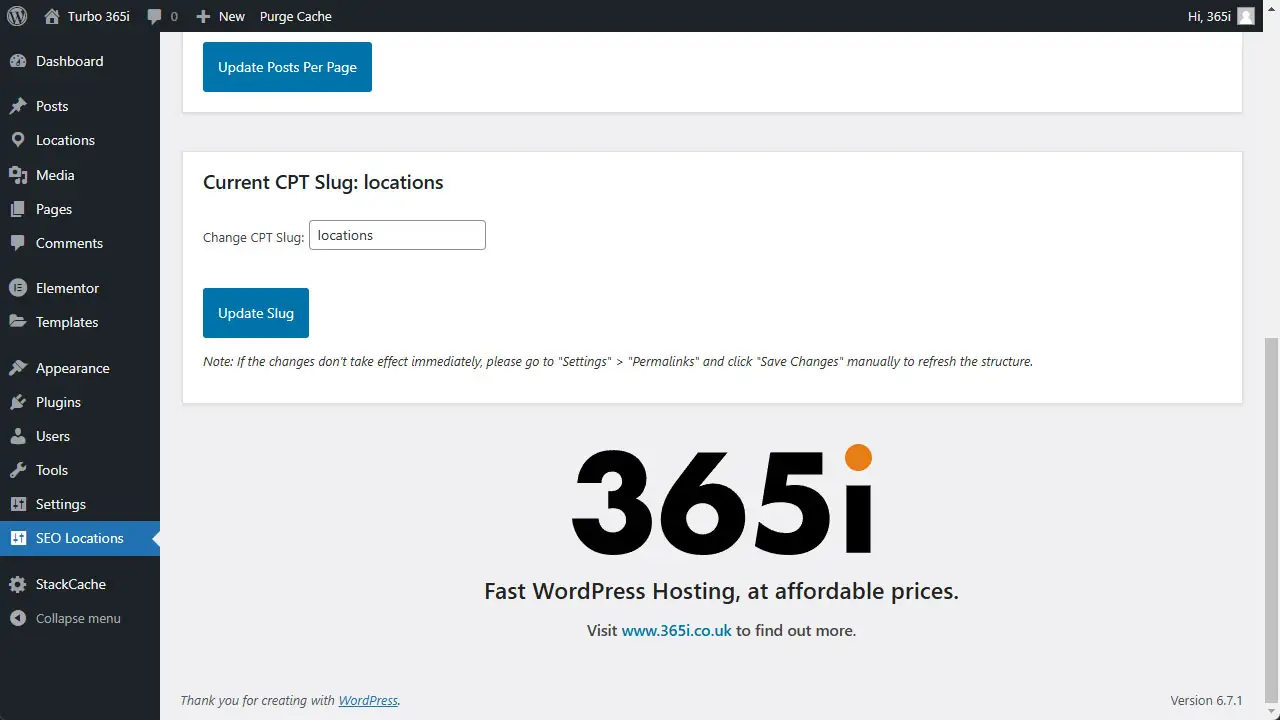
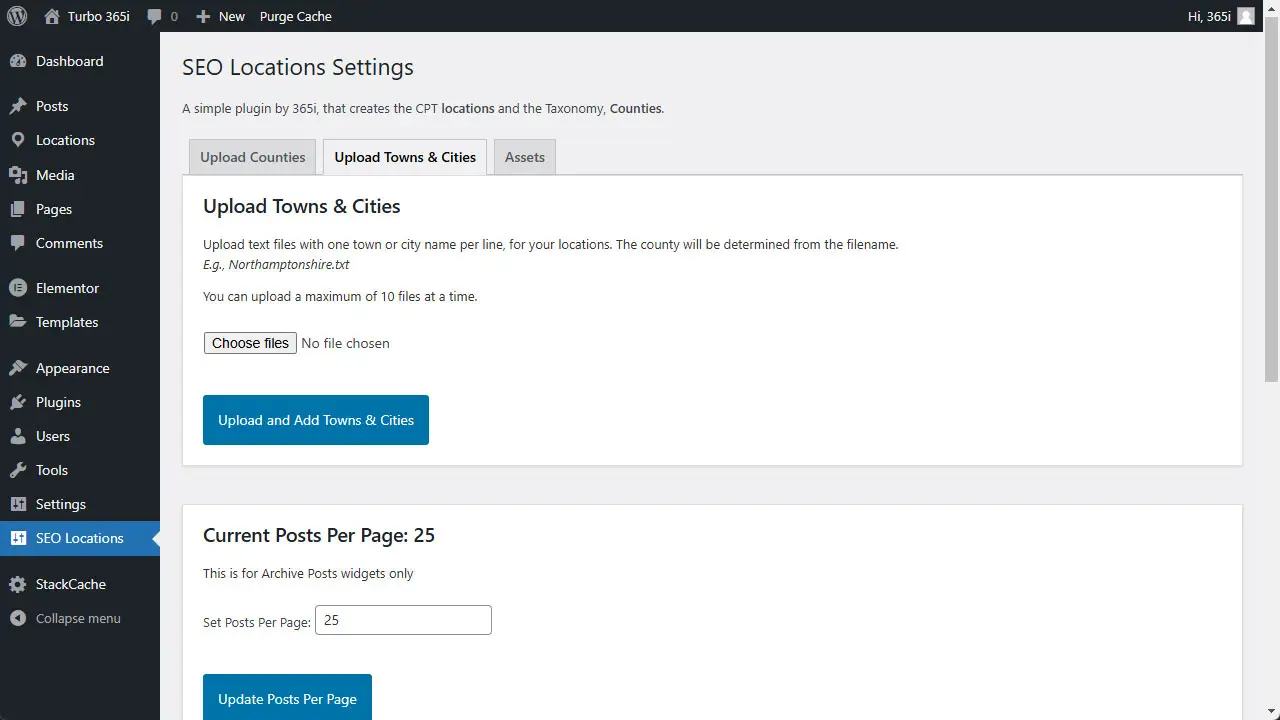
Want to fine-tune your URLs for SEO? The plugin allows you to change the slug of the "Locations" CPT to something more relevant, like/service-areas/or/our-branches/. - Posts Per Page Option
Customize the number of location posts displayed on your site with a simple setting. Whether you want a few key locations or an exhaustive list, you’re in control. - CSV File Uploads for Locations
Got a lot of locations to add? No problem. The plugin supports uploading location data via CSV files, saving you hours of manual entry. - Assets for a Head Start
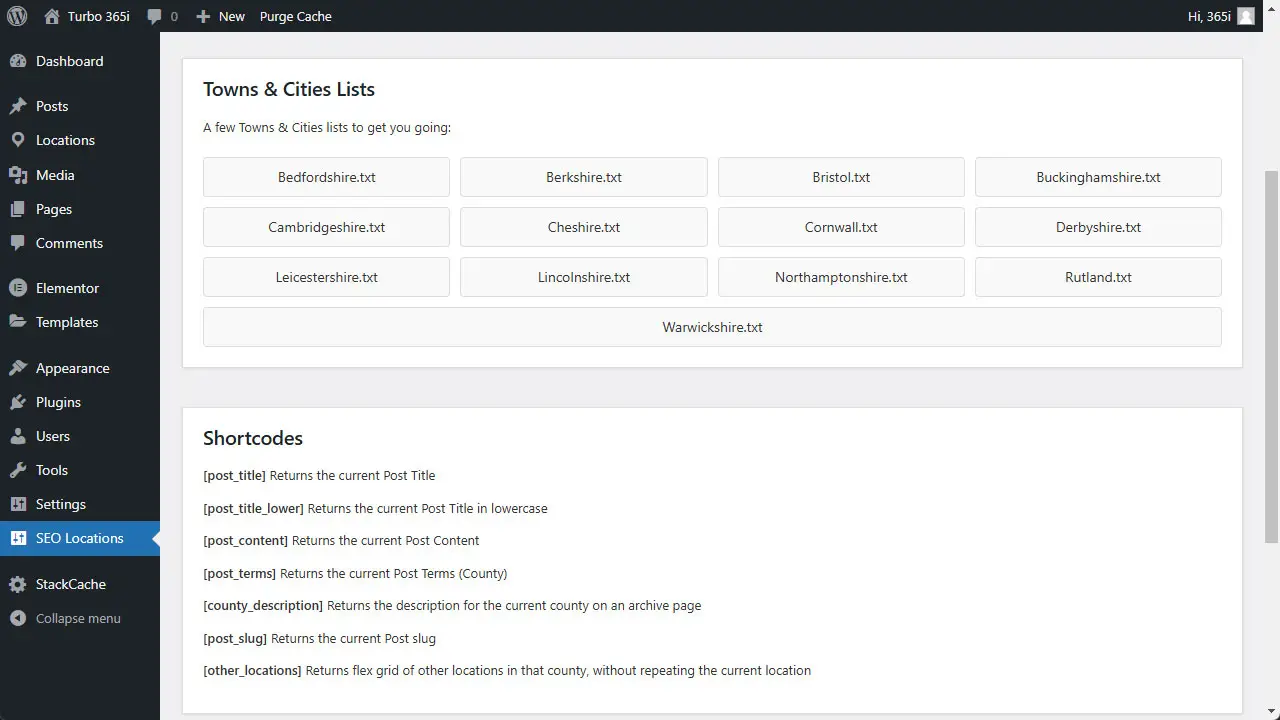
On the plugin’s download page, you’ll find preloaded assets like lists of UK counties and sample towns. Import them into your site in minutes and start building your location library right away. - Free, But Professional
Even though the SEO Locations Plugin is free, it doesn’t skimp on functionality or design. Developed by the expert team at 365i, this plugin is built to meet professional standards for WordPress development. - Supports Elementor and Other Builders
The plugin works seamlessly with popular page builders like Elementor, giving you even more flexibility in designing your site. - Secure and Lightweight
The plugin is optimized for performance, with a clean codebase that won’t bloat your site. Plus, it follows WordPress’s best practices for security.
Perfect for Businesses and Agencies
If your website needs to target multiple locations—whether for local SEO, marketing campaigns, or simply informing users about your branches—the SEO Locations Plugin is perfect for you. It’s especially useful for:
- Local service providers like plumbers, electricians, or landscapers.
- Multi-location businesses like restaurants, gyms, or retailers.
- Marketing agencies looking to create SEO-rich local content for clients.
- Non-profits or government organizations serving multiple regions.
A Video Demonstration to Guide You
Want to see the plugin in action? Check out the video demonstration on the SEO Locations Plugin download page. It walks you through everything from setup to advanced features, so you can hit the ground running.
Download and Get Started Today
Don’t miss out on this incredible free tool from the team at 365i. The SEO Locations Plugin is already making waves among WordPress users who need an effective, easy-to-use solution for managing location-based content.
Click here to download the SEO Locations Plugin now and start transforming your local SEO strategy today.
With 365i’s commitment to fast, affordable WordPress hosting and innovative plugin development, you can trust us to help you succeed online. Visit us at www.365i.co.uk to learn more about our other offerings.
This is your chance to take local SEO to the next level—get started with the SEO Locations Plugin now!


