
Is your WordPress site running slower than you'd like? You're not alone. WordPress performance optimization has become absolutely critical in 2025, with Google's Core Web Vitals directly impacting your search rankings and user experience.
If you're struggling with WordPress speed issues, poor Core Web Vitals scores, or wondering how to improve WordPress performance, this comprehensive guide covers everything you need to know. We'll show you exactly how to speed up WordPress using proven optimization techniques that work in 2025.
The stakes have never been higher for WordPress performance. With WordPress now powering 43.4% of all websites globally according to W3Techs' latest data, site speed has become a competitive necessity, not just a nice-to-have. Poor WordPress performance doesn't just hurt your SEO—it directly impacts conversions, user experience, and your bottom line.
In this guide, you'll discover:
- Why WordPress performance issues are getting worse (and how to fix them)
- WordPress speed optimization techniques that actually work in 2025
- How to solve WordPress Core Web Vitals problems step-by-step
- WordPress security optimization that doesn't slow down your site
- Proven WordPress performance plugins and hosting strategies
Whether your WordPress site loads in 8 seconds or 3 seconds, there's always room for WordPress speed optimization. Let's dive into the specific strategies that'll make your site absolutely flying.
Table of Contents
- WordPress Performance Issues: Core Web Vitals Problems
- WordPress Security Issues Affecting Performance
- WordPress Performance Statistics: Why Speed Matters
- WordPress Performance Trends and Optimization Strategies
- How to Improve WordPress Performance: Step-by-Step Guide
- WordPress 6.9 Performance Improvements
- WordPress Performance Optimization: Key Takeaways
WordPress Performance Issues: Core Web Vitals Problems
Let's be brutally honest about something that's been nagging at WordPress performance optimization experts all year: our beloved platform is struggling with WordPress speed compared to its competitors. According to the 2025 Core Web Vitals Technology Report, Duda leads with 83.63% of sites scoring well on Core Web Vitals, whilst Shopify surprisingly ranks second at 75.22%.
WordPress Performance Comparison: Core Web Vitals by CMS
| CMS Platform | Good CWV Score Percentage | WordPress Performance Rating |
|---|---|---|
| Duda | 83.63% | Much faster than WordPress |
| Shopify | 75.22% | Faster than WordPress |
| WordPress | ~47%* | Needs optimization |
| Wix | Not specified | Similar performance issues |
WordPress percentage estimated from industry reports indicating ~47% of origins pass CWV assessment
Source: Search Engine Journal Core Web Vitals Technology Report, August 2025
WordPress speed issues are real, but before you panic and start shopping for a new CMS, here's what's actually happening with WordPress performance.
The introduction of Interaction to Next Paint (INP) as a replacement for First Input Delay in March 2024 caught many WordPress optimization efforts off guard. According to NitroPack's analysis, nearly 600,000 websites went from passed to failed Core Web Vitals when INP officially replaced FID in March 2024, creating massive WordPress performance problems for site owners.
How to Test WordPress Performance: Core Web Vitals Metrics
Understanding WordPress speed optimization starts with knowing what Google actually measures. The three WordPress performance metrics that directly impact your search rankings are:
Largest Contentful Paint (LCP) measures how quickly your main content becomes visible. For optimal WordPress performance, LCP should occur within 2.5 seconds of when the page first starts loading. Think of it as the moment your visitor sees something substantial rather than just a loading spinner.
Interaction to Next Paint (INP) is the new metric causing WordPress speed issues for many sites, measuring how quickly your site responds to user interactions. A good INP score is 200 milliseconds or less. This directly impacts how responsive your WordPress site speed feels to users.
Cumulative Layout Shift (CLS) tracks visual stability—essentially, how much your page content jumps around whilst loading. A good CLS score is 0.1 or less and prevents the jarring layout shifts that hurt WordPress performance.
WordPress Speed Optimization Strategies That Work
Here's where WordPress performance optimization gets interesting. The WordPress team acknowledged they were losing ground and formed a dedicated Performance Team to tackle these WordPress speed issues head-on. But you can't wait for them to fix everything—you need to improve WordPress performance now.
For our WordPress Hosting clients, we've been implementing several cutting-edge WordPress optimization techniques:
Advanced Caching for WordPress Speed: Use document fragments when appending multiple elements to reduce DOM size and improve INP scores. Our WordPress performance hosting platform handles this automatically through our Free Global CDN.
WordPress Performance Plugin Optimization: This is absolutely critical for WordPress speed. Removing unused plugins is one of the most effective WordPress optimization strategies we recommend. Every plugin adds potential JavaScript overhead that can destroy your WordPress performance.
Virtual Patching for Performance: Beyond security (which we'll cover shortly), virtual patching techniques are being used to optimize WordPress performance without waiting for plugin updates.
If you're feeling overwhelmed by WordPress performance optimization, our team has put together a comprehensive guide in Ultimate Guide to Supercharging Your WordPress Website Speed in 2025 that breaks down exactly how to speed up WordPress effectively.

WordPress Security Issues Affecting Performance
Now, let's talk about something that directly impacts WordPress performance: security threats that can slow down your site. The numbers from September 2025 show how security vulnerabilities are creating WordPress speed problems for thousands of sites.
According to SolidWP's WordPress Vulnerability Reports, security issues aren't just about hacking—they're major causes of WordPress performance issues. Compromised sites often experience severe WordPress speed problems due to malicious scripts, crypto-mining malware, and resource-heavy security scans.
WordPress Security Vulnerabilities Affecting Performance (September 2025)
| Week Ending | Total Vulnerabilities | Plugins | Themes | Unpatched |
|---|---|---|---|---|
| September 10 | 297 | 195 | 102 | 204 |
| September 3 | 114 | 96 | 18 | 39 |
| May 14 | 234 | 230 | 4 | 92 |
Source: SolidWP WordPress Vulnerability Reports
These vulnerabilities don't just create security risks—they're causing WordPress performance problems for millions of sites.
AI-Powered Attacks Are Becoming Mainstream
According to Elegant Themes' WordPress Security Threat Analysis, with AI on the rise, hackers can now mass-scan WordPress sites to identify and exploit vulnerabilities faster than ever. This isn't some dystopian future scenario—it's happening right now.
Cybercriminals are using AI to:
- Automate brute force attacks: Finding leaked credentials and predicting password patterns to crack logins within seconds
- Enhance XSS attacks: Rewriting payloads until they bypass security rules and steal admin session cookies
- Sophisticated SQL injection: Testing different techniques automatically to exploit weak database security
- CSRF token bypass: Learning how tokens are generated to forge malicious requests
The Most Exploited Vulnerabilities Right Now
According to Patchstack's 2024 database analysis, Cross-Site Scripting, broken access control, and Cross-Site Request Forgery were the most reported vulnerabilities, followed by data exposure, SQL injection, and arbitrary file upload.
But here's what's particularly concerning for WordPress users: a recent critical vulnerability in the TI WooCommerce Wishlist plugin affects over 100,000 active installations. Tracked as CVE-2025-47577, the vulnerability carries a CVSS score of 10.0—that's the maximum possible severity score.
Our Security-First Approach at 365i
This is precisely why our WordPress Hosting platform includes enterprise-grade security features as standard:
- Web Application Firewall (WAF) that blocks attacks before they reach your site
- Real-time malware scanning that catches threats immediately
- Automatic security updates for WordPress core, themes, and plugins
- Daily backups with 30-day retention for Business plan customers
We've covered the essential security plugins you don't need when hosting with us in 6 WordPress Security Plugins you don't need with 365i Hosting, because proper hosting should handle security at the infrastructure level.
WordPress Performance Statistics: Why Speed Matters
Understanding WordPress performance becomes crucial when you see the scale of WordPress adoption in 2025. Poor WordPress speed isn't just affecting a few sites—it's a problem impacting millions of websites globally.
WordPress Market Dominance: Performance at Scale
| Metric | WordPress | Nearest Competitor | Performance Impact |
|---|---|---|---|
| Total Website Market Share | 43.4% | Shopify (6.7%) | 564M+ sites need optimization |
| CMS Market Share | 62.8% | Shopify (10.7%) | Majority of CMS sites |
| Total WordPress Sites | ~564 million | N/A | Massive performance opportunity |
| Growth Since 2017 | +16.1% | N/A | Growing performance challenges |
Sources: W3Techs, NetCraft August 2025 Report, WPZOOM Statistics
As of September 2025, a remarkable 43.4% of all websites globally use WordPress according to W3Techs data. With NetCraft reporting a total of 1.3 billion websites, we're talking about more than 564 million WordPress sites that could benefit from WordPress speed optimization.
But it's not just about raw numbers—it's about the WordPress performance opportunity.
WooCommerce's E-commerce Dominance
Here's something that'll make your head spin: according to multiple WordPress statistics sources, WooCommerce is the leader in the global e-commerce platform market, with a 33.85% share. That means if you're running an online shop, you're likely competing with sites powered by the same platform you're using.
E-commerce Platform Market Share
| Platform | Market Share | Notable Features |
|---|---|---|
| WooCommerce | 33.85% | WordPress integration, flexibility |
| Shopify | 19.94% | Hosted solution, ease of use |
| Custom Cart | 13.76% | Bespoke solutions |
| Wix | 7.49% | Drag-and-drop builder |
Source: WPZOOM WordPress Statistics Report
According to WordPress e-commerce research, WooCommerce-based websites attract substantial traffic, with data suggesting that stores using the platform generate between $25 million and £50 million in average annual revenue. Obviously, your mileage may vary considerably!
The Plugin Ecosystem Explosion
According to WordPress ecosystem statistics, the WordPress plugin directory has 59,000 free plugins, and CodeCanyon has over 5,000 premium plugins. That's a lot of choice, but it's also where many security and performance issues originate.
Most Popular WordPress Plugins (2025)
| Plugin | Active Installations | Primary Function |
|---|---|---|
| Elementor | 10M+ | Page builder |
| Yoast SEO | 10M+ | SEO optimization |
| WooCommerce | 8M+ | E-commerce |
| WPForms | 5M+ | Form builder |
| Contact Form 7 | 5M+ | Contact forms |
| Wordfence | 5M+ | Security |
Source: WordPress Plugin Statistics 2025
If you're using our Agency Hosting for multiple client sites, plugin management becomes crucial for maintaining performance across your entire portfolio.

WordPress Performance Trends and Optimization Strategies
Based on everything we're seeing in WordPress performance optimization, several key trends are accelerating as we head into Q4 2025 that directly impact WordPress speed.
AI-Powered WordPress Performance Optimization
The WordPress community is finally embracing AI for WordPress speed optimization beyond just content generation. We're seeing:
- Predictive caching for WordPress: AI that anticipates user behaviour to improve WordPress performance
- Automated WordPress optimization: Systems that adjust based on real-time WordPress performance analytics
- Smart performance monitoring: AI that adapts to emerging WordPress speed issues
Our recent post on AI-Powered WordPress Hosting in 2025 explores how these WordPress optimization technologies are being integrated at the hosting level.
WordPress Performance Through Block-First Development
The block editor isn't going anywhere, and theme developers are finally building around it to improve WordPress speed. This WordPress performance approach means:
- Faster WordPress loading times for block-based themes
- Better mobile WordPress performance out of the box
- Improved Core Web Vitals scores for new WordPress installations
Performance-First WordPress Hosting #performance-first-hosting
WordPress performance has become a competitive advantage that directly impacts business results. Companies are no longer optimizing "for Google"—they're optimizing for users and WordPress speed equals revenue.
This shift means WordPress performance optimization isn't just an SEO factor anymore—it's directly impacting your bottom line through faster conversions and better user experience.
How to Improve WordPress Performance: Step-by-Step Guide
Right, enough theory. Here's exactly how to improve WordPress performance and speed up WordPress before the year ends.
Immediate WordPress Speed Wins
- Audit WordPress plugins ruthlessly: Remove anything you're not actively using—this is the fastest way to improve WordPress performance
- Optimize WordPress images: Use WebP format where possible and implement proper lazy loading for WordPress speed optimization
- Review your WordPress hosting: If you're on basic shared hosting, consider upgrading to optimized WordPress performance hosting
- Test WordPress performance: Use Google's PageSpeed Insights and address the specific WordPress speed issues it identifies
WordPress Performance Plugin Strategy
- Update WordPress everything immediately: WordPress core, themes, and plugins affect WordPress performance
- Enable two-factor authentication on all admin accounts without impacting WordPress speed
- Review user permissions: Ensure everyone has the minimum necessary access
- Implement proper WordPress backup procedures: Daily automated backups with offsite storage
- Monitor for WordPress vulnerabilities: Set up alerts for security issues that impact WordPress performance
WordPress Hosting for Performance
Consider whether your current hosting setup is helping or hindering your WordPress optimization efforts. Our WordPress Turbo Hosting is specifically designed for sites that need maximum WordPress performance with minimal fuss.
For agencies managing multiple client sites, our Unlimited Agency Hosting removes the resource caps that often cause WordPress performance bottlenecks on traditional shared hosting.
WordPress 6.9 Performance Improvements
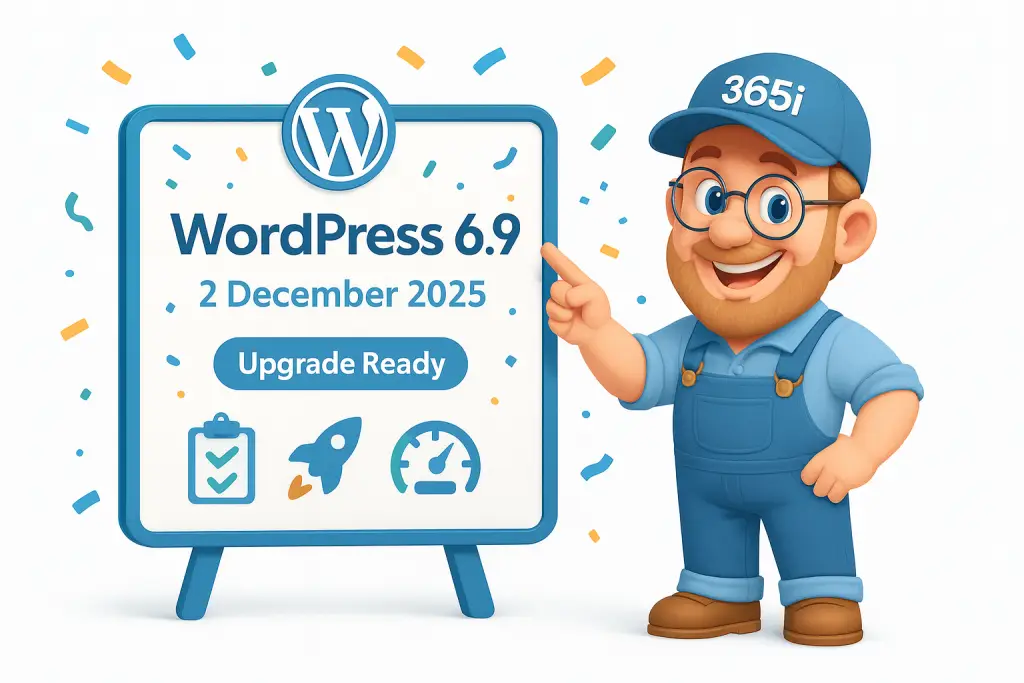
Before we wrap up, let's talk about WordPress 6.9, landing on December 2nd, 2025. This isn't just another incremental update—it's bringing significant WordPress performance improvements specifically designed to help with WordPress speed optimization.
Key WordPress performance features include:
- Enhanced Abilities API for better plugin integration that improves WordPress performance
- Accordion blocks for improved content layouts and WordPress speed
- Theme.json styling improvements for forms that reduce WordPress performance overhead
- Performance tweaks focused specifically on WordPress Core Web Vitals optimization
We've covered the complete WordPress performance upgrade checklist in WordPress 6.9 arrives 2 December 2025 – what's new and your upgrade checklist, including how to test the WordPress performance update safely before going live.

WordPress Performance Optimization: Key Takeaways
WordPress performance optimization continues to be the key differentiator for successful sites in 2025. The WordPress speed challenges we're seeing with Core Web Vitals and security threats aren't insurmountable—they're opportunities to build better, faster, more secure websites.
The WordPress sites that'll thrive in Q4 2025 and beyond are those that embrace proactive WordPress performance optimization rather than reactive fixes. This means:
- Choosing WordPress hosting optimized for performance from day one
- Implementing WordPress security measures at the infrastructure level rather than relying solely on plugins that slow down your site
- Monitoring WordPress performance metrics continuously rather than checking them occasionally
- Staying informed about WordPress speed optimization trends rather than hoping for the best
If you're feeling overwhelmed by WordPress performance optimization, remember that you don't have to tackle it all yourself. Our team at 365i specializes in making WordPress hosting performance feel effortless, so you can focus on what you do best—growing your business.
Whether you need lightning-fast WordPress speed with our WordPress Turbo Hosting, comprehensive security with our Managed WordPress Hosting, or scalable WordPress performance solutions with our Agency Hosting, we've got the infrastructure to support your WordPress optimization success.
Drop us a line at support@365i.co.uk if you'd like to chat about WordPress performance optimization for Q4 2025 and beyond. We're based right here in Northamptonshire and always happy to help fellow WordPress enthusiasts make their sites absolutely flying.
What's your biggest WordPress performance challenge heading into Q4 2025? Speed, security, or something else entirely? Let us know in the comments—we read every one and often turn your questions into future WordPress optimization blog posts.
Published by the 365i team on 11 September 2025. Updated with the latest WordPress security and performance data.
Sources and Data Verification
This article uses verified data from authoritative sources including:
- W3Techs: WordPress market share and CMS statistics
- NetCraft: Total website counts and internet statistics
- SolidWP: WordPress vulnerability reports and security data
- Search Engine Journal: Core Web Vitals performance analysis
- Patchstack: Security threat intelligence and analysis
- WPZOOM & WordPress.com: Plugin usage and ecosystem statistics
All statistics are current as of September 2025. Links to source materials are provided throughout the article for verification.
What is the WordPress Performance & Security Guide 2025 about?
How do Core Web Vitals impact WordPress performance?
What are the most exploited vulnerabilities affecting WordPress performance in September 2025?
What are the security-first approaches at 365i in improving WordPress performance?
Why is speed important in WordPress performance optimization?
How does WooCommerce's dominance in e-commerce impact WordPress performance?
What are the key trends and strategies for WordPress performance improvement?
How does AI enhance WordPress performance optimization?
What are the benefits of performance-first hosting for WordPress?
What are the immediate wins for improving WordPress speed according to the guide?
Learn more about our WordPress Hosting.


