
Ever noticed how a lightning-fast WordPress site just feels more professional and trustworthy? That satisfying instant response when you click a link or button creates an immediate positive impression for your visitors. It's like walking into a shop where someone greets you right away, versus wandering around trying to find help.
At 365i, we're passionate about WordPress speed. That's why we've created our revolutionary 1-Click Optimization tools that transform ordinary WordPress websites into speed demons, without requiring a single line of code. As we've shown in our article about Huge Speed Boost with 1-Click Web Optimisation Tools at 365i, even small optimizations can make a massive difference to user experience and conversion rates.
The Need for Speed: Why WordPress Speed Optimization Matters
In today's impatient world, WordPress speed isn't just nice to have – it's essential. According to Google, if your page load time goes from 1 second to 3 seconds, the probability of bounce increases by 32%. That's a third of your visitors going "nah, mate" and hitting the back button. Check out our article on Astonishing Speed on 365i to see real-world examples of this in action.
"Two seconds is the threshold for ecommerce website acceptability. At Google, we aim for under a half-second."
— Maile Ohye, former Developer Programs Tech Lead at Google
Source: Google Webmaster Central Blog
And it's not just about keeping visitors happy – Google's been using page speed as a ranking factor for ages. So if your website's slow, you're essentially telling Google to push you down the rankings. Not ideal, is it?
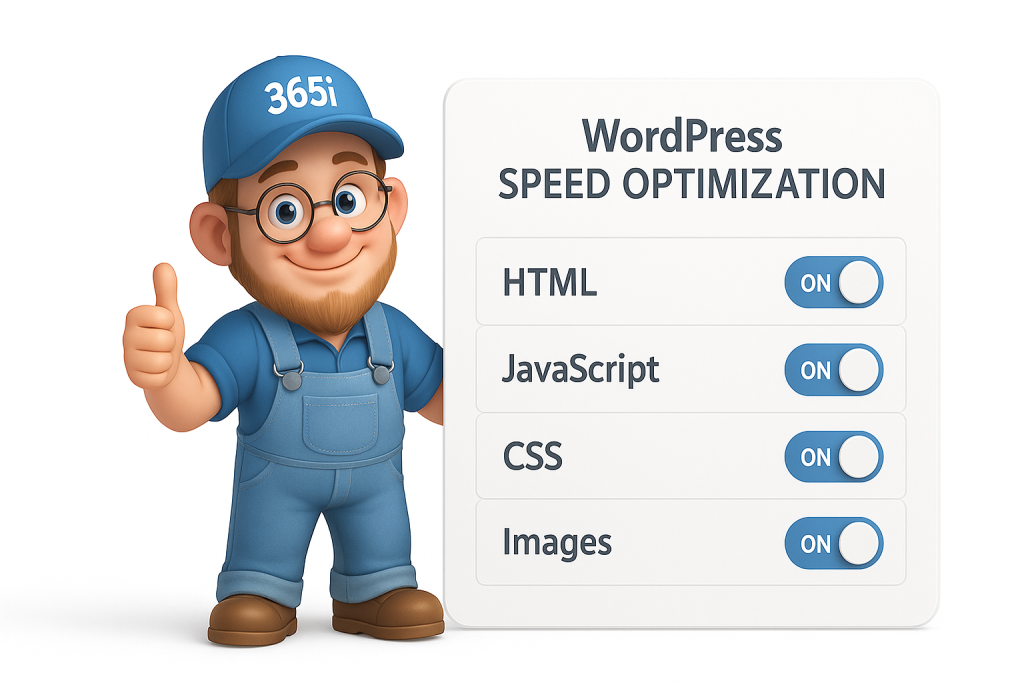
Our 1-Click WordPress Speed Optimization Panel
Right, so you might be thinking, "Crikey, improving WordPress speed sounds complicated!" — Don't panic. That's exactly why we've designed our system with simple on/off switches. You don't need a PhD in Computer Science to make your WordPress site lightning-fast.
Our WordPress speed optimization panel is divided into several categories, each targeting different aspects of your website performance. Our 1-click optimization options are comprehensive, giving you control over HTML, JavaScript, CSS, and images - the four key components affecting your WordPress site's speed.
Let's break them down:
HTML Optimization
Even your basic HTML can benefit from a bit of spring cleaning. Our HTML optimization reduces file sizes by removing unnecessary code, whitespace, and comments without affecting how your page displays.
Add Head
Automatically inserts a <head> tag if your HTML starts with <body>, ensuring metadata always lands where it belongs.
Collapse Whitespace
Squashes runs of spaces, tabs and newlines into a single space to slim down your HTML without affecting how it's rendered.
Combine Heads
Merges multiple <head> sections into one tidy block, improving organization and efficiency.
Convert Meta Tags
Turns <meta http-equiv> entries into real HTTP headers for more consistent caching and content-type handling.
Elide Attributes
Strips attributes set to their default values (e.g. type="text" on scripts), shaving off unnecessary bytes.
Extend Cache PDFs
Applies longer cache lifetimes not just to PDF files but also to links pointing at them, reducing repeated downloads.
Extend Cache
Bumps up your static assets' cache expiry periods while still letting you push updates when needed.
Pre-Resolve DNS
Injects DNS prefetch hints (<link rel="dns-prefetch">) so the browser can resolve hosts up front, reducing connection times.
Remove Comments
Eliminates all HTML comments to cut non-functional weight from your pages.
Remove Quotes
Drops unnecessary quotation marks from attribute values when it's safe to do so, further reducing file size.
Trim URLs
Converts absolute URLs to relative ones (based on the page's base URL) to cut down character count.
JavaScript Optimization
JavaScript makes your website interactive and dynamic, but poorly optimized scripts can bring your site to its knees. Our JavaScript optimization options minify your JS files and defer their loading so that the important visual elements appear first.
Canonicalize JavaScript Libraries
Swaps known libraries (like jQuery) for CDN-hosted versions (Google Hosted Libraries by default), leveraging browser caching and parallel downloads.
Combine JavaScript
Bundles separate .js files into one to slash HTTP requests, reducing connection overhead and improving load times.
Defer JavaScript
Postpones script execution until after your page's main content loads, dodging render-blocking and improving perceived page speed.
Include JavaScript Source Maps
Leaves source-maps intact so you can still debug minified code in production, making troubleshooting easier.
Inline JavaScript
Embeds small scripts directly into your HTML, cutting extra fetches and boosting first-paint times for critical functionality.
Move CSS Above Scripts
Makes sure your CSS is parsed before scripts run, preventing unnecessary style-blocking and improving rendering efficiency.
Minify JavaScript
Strips comments and whitespace out of your .js files for a leaner download without affecting functionality.
CSS Optimization
CSS files are crucial for making your site look pretty, but they can also be major performance hogs. Our CSS optimization tools minify your stylesheets and combine files to optimize how they load.
Combine CSS
Merges multiple .css files into one to reduce HTTP round-trips, significantly reducing load times on initial page views.
Fallback Rewrite CSS URLs
Parses linked & inline CSS, rewrites any image URLs it finds and minifies the stylesheet for more efficient loading.
Flatten CSS Imports
Inlines all your @imported stylesheets into one, cutting extra requests that can create cascading delays.
Inline CSS
Injects small CSS blobs straight into your HTML so the browser can paint faster, eliminating render-blocking external stylesheets.
Move CSS To <head>
Drags every style block into the head to avoid extra re-flows, creating a more efficient rendering path.
Prioritize Critical CSS
Auto-inlines only the CSS needed for above-the-fold content, deferring the rest to improve perceived page speed.
Rewrite CSS
Parses & rewrites linked and inline styles to optimized URLs, then minifies for maximum efficiency.
Rewrite Style Attributes With URLs
Updates inline style attributes (e.g. background-image) to point at optimized paths, improving resource loading.
Image Optimization
Images are often the biggest culprits when it comes to slow websites. Our image optimization tools automatically compress and resize images, convert them to next-gen formats like WebP, and enable lazy loading (so images only load when a visitor scrolls down to them). If you're struggling with image loading, you might also want to check out our guide on Fix WordPress 6.8 Slow Image Uploads with 365i Queue Optimizer.
Convert to WEBP Animated
Turns animated GIFs into animated WebP for much smaller file sizes—often 30-50% smaller with identical visual quality.
Convert to WEBP lossless
Swaps any image for lossless WebP, squeezing it down without quality loss for modern browsers.
Deduplicate Inlined Images
Removes duplicate data-URL images in your HTML so you're not sending repeat payloads, saving precious bytes.
Inline Images
Embeds tiny images as data URLs so the browser skips extra HTTP requests, speeding up initial page rendering.
Inline Preview Images
Delivers a super-low-res inline preview that's swapped for the full-res version on load (needs dimensions set)—perfect for that progressive loading effect.
Insert Image Dimensions
Auto-adds width & height to <img> tags so browsers can reserve the right space up front, preventing content jumps during loading.
Lazyload Images
Defers offscreen images until they scroll into view, cutting initial payload and speeding up first meaningful paint.
Recompress Images
Strips metadata and converts GIFs to PNGs for tighter compression without visible quality loss.
Resize Images
Shrinks images to the dimensions declared in your <img> tag or inline style, preventing wasted bandwidth on oversized assets.
Resize Mobile Images
Generates lower-res mobile versions of inlined images (requires dimensions), optimizing for smaller screens and connections.
Resize Rendered Image Dimensions
Crops images to the actual on-page display size, ignoring any declared tags that might request larger assets than needed.
Responsive Images
Auto-adds srcset attributes so browsers pick the perfect resolution for each screen, balancing quality and bandwidth.
Optimize Images
Runs a mixed bag of tweaks—recompression, format switching, dimension trimming and inlining—all in one efficient pass.
Sprite Images
Combines background GIFs/PNGs from your CSS into a single sprite sheet and rewrites the CSS to match, reducing HTTP requests.
Real Results from Real Customers
Don't just take my word for it – our customers have seen dramatic improvements after using our optimization tools:
"After moving from a much slower hosting platform, this new setup is not only much faster, but has a far more user-friendly interface and some incredible friendly support... I stand by my original statement that I'd highly recommend. 5 stars is really not enough so here's a few more ***** ***** *****"
— Bex Maynard, 365i Customer
Source: Google Business Reviews for 365i
Another happy customer shared:
"365i has dramatically speeded up our WordPress website which was beyond slow! Great service from people who seem to genuinely care about their customers. Thanks so much."
— Neil Lewis, 365i Customer
Source: Google Business Reviews for 365i
And it's not just about speed – it's about the ease of implementation:
"Exceptional website development experience! Working with Mark was an absolute pleasure... The final result was a modern, user-friendly site that perfectly reflects our brand and has already received fantastic feedback from our clients and staff."
— Lauren Jackson, 365i Customer
Source: Google Business Reviews for 365i
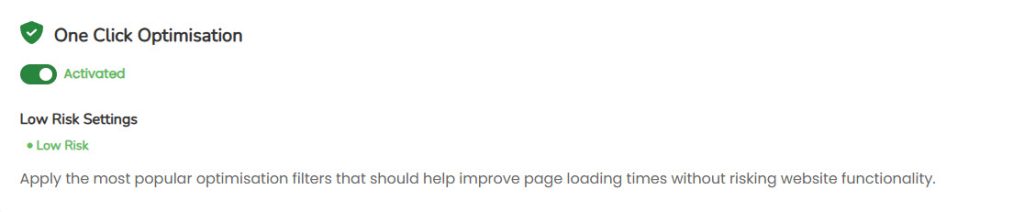
How to Access Your 1-Click Optimization Panel
Already a 365i customer? Brilliant! Here's how to get cracking with these optimization tools:
- Log into your 365i Control Panel
- Navigate to the 'Web Optimization' section
- Browse through each category (HTML, JavaScript, CSS, and Image optimization)
- Enable the options that make sense for your site with a simple toggle
- Save your changes and watch your website performance soar!
Not seeing immediate results? Some optimization techniques might take a few hours to fully propagate, especially CDN-related changes. Give it a bit of time, then check again.
If you're unsure which optimizations would work best for your specific site, our support team is always happy to offer personalized recommendations. Just reach out through your control panel's support section.

WordPress Speed + Optimization = Match Made in Heaven
If you're running WordPress on our optimized platform, these WordPress speed tools become even more powerful. WordPress sites often come with performance challenges due to their dynamic nature and plugin ecosystem. Our WordPress speed optimization tools are specifically designed to address these WordPress-specific issues.
For instance, our WordPress-specific caching and database optimization can reduce server response times dramatically. Combined with our WordPress Turbo Hosting option, you're looking at potentially the fastest WordPress experience in the UK. And don't forget to read our article on Supercharge Your WordPress Website with Turbo Hosting to learn more about our advanced hosting options.
The beauty of our 1-click WordPress speed optimization is that it works perfectly alongside popular WordPress optimization plugins—but often makes them unnecessary. Why install yet another plugin that could conflict with your setup when these optimizations are built right into your hosting?

Not a 365i Customer Yet? What Are You Waiting For?
If you're currently with another hosting provider and battling with slow page loads, complex caching plugins, and technical optimization headaches, it might be time for a change. We've detailed the process in our guide Migrating your WordPress site to 365i to help make the transition smooth.
Our Managed WordPress Hosting starts at just £5.99 per month, with the first month for just £1. And yes, all these optimization tools come standard with every package.
For agencies managing multiple sites, our Unlimited Agency Hosting at £32.99 per month lets you apply these optimization techniques across all your client websites from a single dashboard.

The Bottom Line: Boost Your WordPress Speed Today!
WordPress speed optimization used to be complex, requiring developer knowledge, multiple plugins, and hours of testing. We've simplified it down to a series of toggles that anyone can use. For more advanced tips, check out our article on Turbo Speculative Loading in WordPress 6.8 with 365i Hosting.
So go on, log into your 365i control panel and start flipping those switches. With over 40 individual WordPress speed optimization options across HTML, JavaScript, CSS, and image categories, you have unprecedented control over your site's performance without needing to write a single line of code.
Your WordPress site (and your visitors) will thank you for it.
Have questions about which optimization options are best for your specific site? Get in touch with our support team – we're always happy to help you squeeze every last drop of performance out of your website.
P.S. Still not convinced? Remember that we offer a 14-day money-back guarantee on our hosting packages. Try out our optimization tools with zero risk and see the difference for yourself!
About the Author: This article was written by Mark McNeece, Technical Director at 365i. With over 15 years of experience in web hosting and optimization, Mark has helped hundreds of businesses transform their online presence through enhanced website performance.
Related Articles:
- Huge Speed Boost with 1-Click Web Optimisation Tools at 365i
- Ultimate WordPress Speed Optimisation: No Plugins Required
- Global CDN: Why 365i's Free Solution Outperforms the Competition
- Comparing Hosting Options: The Global CDN Advantage for WordPress Websites
- Supercharge Your WordPress Website with Turbo Hosting
- Why WordPress Hosting with a Free Global CDN is a Game-Changer
Why is WordPress Speed Optimization important?
WordPress Speed Optimization is crucial for better user experience, search engine rankings, and increased conversion rates.
What does 365i's 1-Click Optimization Panel offer for WordPress speed?
365i's 1-Click Optimization Panel provides over 40 performance boosters without coding, optimizing HTML, JavaScript, CSS, and images for faster websites.
What optimization categories are covered by 365i's tools?
365i's tools cover HTML, JavaScript, CSS, and image optimization categories to enhance overall website performance.
How does WordPress speed optimization impact search engine ranking?
WordPress speed optimization is vital for search engine ranking as Google considers page speed a key factor for visibility and ranking in search results.
What benefits come from using 365i's tools for WordPress speed improvement?
By utilizing 365i's tools, users can expect instant performance enhancements leading to better user experience, higher conversions, and improved search engine rankings.
How do customers benefit from 365i's optimization tools?
Customers experience significant speed improvements on their WordPress sites using 365i's tools, simplifying optimization with one-click options for various enhancements.
What are the key features of 365i's WordPress speed optimization tools?
365i's tools offer over 40 instant performance boosters with no coding needed, allowing users to control HTML, JavaScript, CSS, and image optimizations easily.
How can I access 365i's 1-Click Optimization Panel for WordPress speed?
To access the panel, go to your WordPress dashboard or settings section and find the one-click options for enhancing website speed.
Why should I choose WordPress speed optimization with 365i's tools?
Opting for WordPress speed optimization with 365i's tools unlocks your site's potential, improving user experience, conversions, and search engine visibility.
What results have real customers seen with 365i's optimization tools?
Real customers report substantial speed improvements, leading to better user experiences, increased conversions, and improved search engine rankings.
How does Elementor Pro usage by 365i impact WordPress speed optimization?
Elementor Pro enhances WordPress speed optimization by offering customization options and design flexibility for visually appealing, high-performance websites.
What are the best strategies for WordPress hosting and setup to complement speed optimization?
Choose reliable hosting, implement caching, optimize databases, and use CDNs for faster content delivery to complement speed optimization.
Learn more about our WordPress Hosting.


