
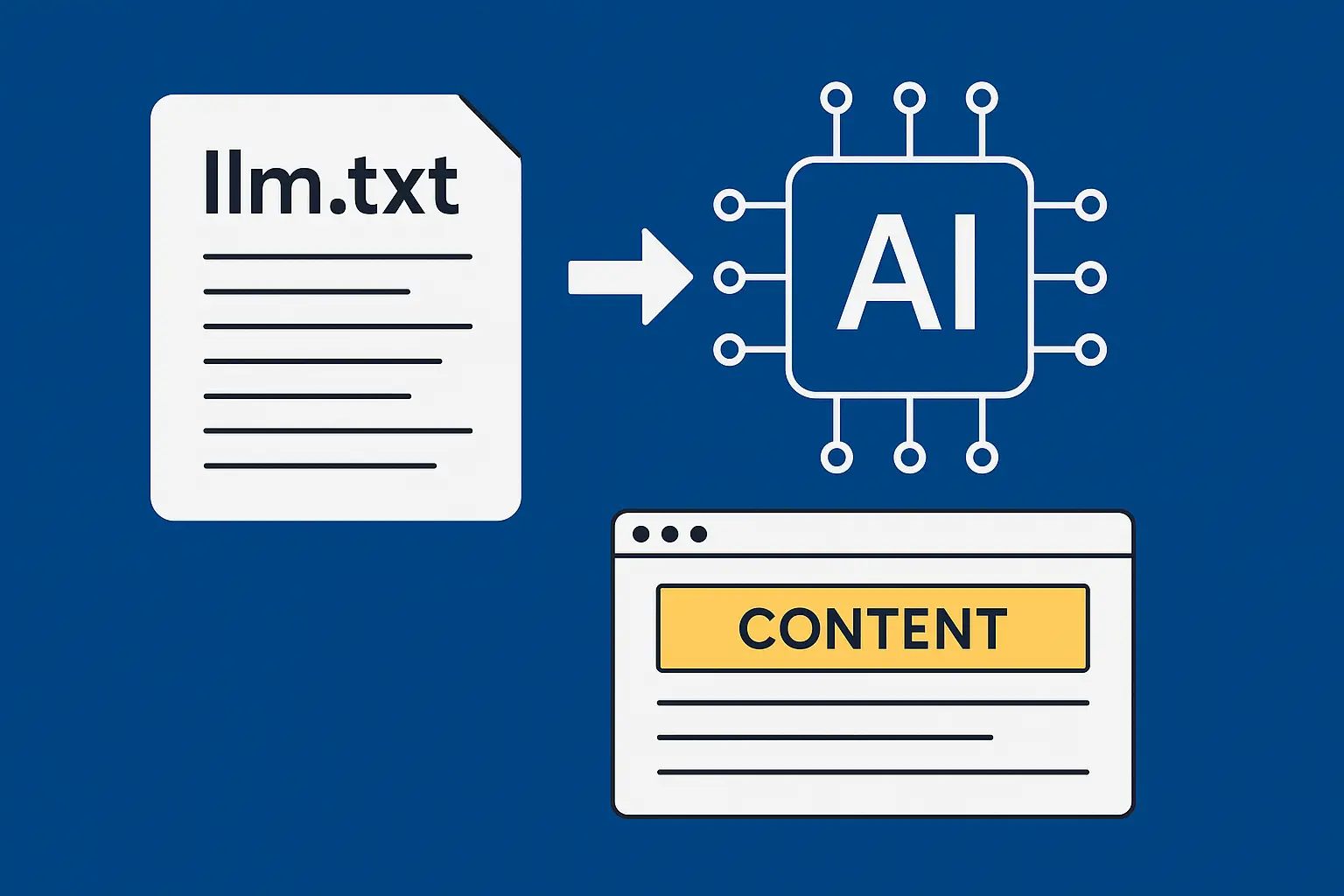
Last week, I was chatting with Sarah from a Manchester tech startup who mentioned something that made me sit up and take notice. "Our content keeps getting misrepresented by ChatGPT," she said. "It's citing our old pricing, wrong product features, even outdated company information." Turns out, AI tools were crawling her site like it was 2019.
That conversation got me thinking about something I'd been experimenting with — llm.txt files. Think of it as a VIP pass for AI systems, giving them exactly the right content to represent your business properly. If you've heard of robots.txt (and you should have), this is similar but designed specifically for AI tools like ChatGPT, Claude, and Google's Gemini.
Here's what really surprised me: companies using llm.txt properly are seeing their content cited more accurately by AI tools, with some reporting up to 40% better representation in AI-generated responses. Major companies like Anthropic and Vercel are already implementing these files, and early adopters are getting ahead of the curve.
Table of Contents
- What Is llm.txt and Why Should You Care?
- Minimum Requirements for a Basic llm.txt File
- What to Include in Your llm.txt File
- What to Exclude from Your llm.txt File
- Real-World Examples for UK Businesses
- Detailed llm.txt Example for 365i
- Technical Implementation & Best Practices
- Monitoring Your llm.txt Performance
- The Bottom Line
What Is llm.txt and Why Should You Care?
Right, let's start with the basics. An llm.txt file (that's "Large Language Model" for the uninitiated) is a simple text file you place at your website's root directory — just like robots.txt or sitemap.xml. But here's the clever bit: it's written in Markdown format specifically so AI tools can understand it better.
The concept was proposed by Jeremy Howard in September 2024, and it's gaining serious traction. Think of it as your website's executive summary for AI systems. When ChatGPT or Claude needs information about your business, instead of randomly crawling through your entire site (and potentially getting confused by your footer links or that ancient "About" page you forgot to update), they can check your llm.txt file first.
This isn't just another techie fad, though. AI-powered search is fundamentally different from traditional Google searches. Search Engine Land reports that while Google crawls and indexes your entire site, AI tools only scan small portions in real-time when answering queries. Without proper guidance, they're essentially playing pin the tail on the donkey with your content.
The business impact is real. Vercel reports that 10% of their signups now come from ChatGPT as a result of calculated Generative Engine Optimization efforts — not traditional SEO. That's the kind of shift that makes you pay attention.
And it makes perfect sense when you think about it. Your customers aren't just Googling anymore — they're asking Claude to compare hosting providers, or getting ChatGPT to explain WordPress security plugins. If those AI tools are working with outdated or irrelevant information about your business, you're losing opportunities before you even know they existed.
Minimum Requirements for a Basic llm.txt File
Let's talk about the absolute basics first. You don't need a computer science degree to create an effective llm.txt file, but there are some non-negotiables:
File Location and Name: The file must live at your domain root — that's yoursite.com/llms.txt, not buried in some subfolder. The name is case-sensitive, so "LLMS.txt" or "LLM.txt" won't work. It's "llms.txt" — plural, lowercase, with that specific extension.
UTF-8 Encoding: This sounds technical, but it's crucial. Your file needs to be saved with UTF-8 encoding to handle international characters properly. Most modern text editors do this by default, but if you're seeing weird symbols when you view your file, encoding issues are usually the culprit.
Basic Structure: At minimum, your llms.txt needs these elements in this exact order:
- An H1 heading with your business name
- A brief description of what you do
- Your most important URLs with clear descriptions
Here's the simplest possible example:
# Acme Digital Solutions

We provide web design and digital marketing services for UK small businesses.

- [About Us](https://acmedigital.co.uk/about/): Company background and team information
- [Services](https://acmedigital.co.uk/services/): Web design, SEO, and digital marketing services
- [Contact](https://acmedigital.co.uk/contact/): Get in touch for a free consultation
That's it. Three lines of actual content, and you've got a working llm.txt file that's infinitely better than nothing. But let's be honest — if you're going to do something, you might as well do it properly.
What to Include in Your llm.txt File
This is where it gets interesting. The key is thinking like an AI tool trying to answer questions about your business. What information would be most valuable?
Your Most Important Pages: Start with pages that define who you are and what you do. Your About page, main service pages, key product information, and contact details should be top of the list. But here's the thing — don't just dump every page you can think of. Quality over quantity.
Fresh Content: AI tools love current information. Your latest blog posts, recent case studies, and updated documentation should feature prominently. I always include a "Recent Updates" section in my llm.txt files, highlighting the most valuable content from the past three months.
FAQ and Support Content: This is absolute gold for AI tools. When someone asks ChatGPT "How do I cancel my subscription with XYZ company?", you want it pointing to your clear, up-to-date FAQ page, not some random forum post from 2018.
Clear Descriptions: Don't just list URLs — explain what each page contains. Instead of "Pricing", write "Pricing Plans: Current subscription costs and feature comparisons for all service tiers". AI tools can use these descriptions to determine relevance.
Company Context: Include your location, founding date, key personnel, and business model. If you're a UK-based company serving primarily British customers, mention that. If you're a WordPress specialist, say so explicitly. This context helps AI tools provide more accurate, relevant responses about your business.
Here's something I learned the hard way: include your pricing information prominently. Nothing frustrates potential customers more than AI tools citing your old pricing structure. I once had a client lose three leads because ChatGPT was referencing their 2022 pricing page instead of current rates.

What to Exclude from Your llm.txt File
This is just as important as what you include. Remember, AI tools have limited attention spans (technically called "context windows"), so every line in your llm.txt file needs to earn its place.
Low-Value Pages: Skip your privacy policy, terms of service, and cookie policy unless they're genuinely unique or frequently asked about. Your 404 page, login screens, and admin areas are also pointless inclusions.
Outdated Content: If you've got blog posts from 2019 about "Top WordPress Trends for 2020", leave them out. Seriously. AI tools already struggle with temporal context — don't make it worse by highlighting outdated information.
Duplicate or Similar Content: If you have three different pages that essentially explain the same service, pick the best one. Having multiple similar pages in your llm.txt file just creates confusion.
Internal Process Pages: Staff directories, internal documentation, and company-only resources shouldn't be in your llm.txt file. It's meant for external AI tools, not your internal systems.
Promotional or Sales-Heavy Content: While you want to showcase your services, avoid pages that are pure sales pitch. AI tools tend to provide more balanced responses when they have informational rather than promotional content to work with.
One thing that caught me off guard: don't include pages that frequently change their content structure. If you've got a news section that completely reorganises every month, or dynamic product listings that shift constantly, these can confuse AI tools more than they help.
Real-World Examples for Businesses
Let me show you what this looks like in practice with some hypothetical UK businesses. These examples will give you a proper sense of how to structure your own file.
Example 1: Manchester Marketing Agency
# Northern Digital Marketing

Manchester-based digital marketing agency serving UK SMEs since 2018. Specialists in local SEO, PPC, and content marketing.

## About
- [About Northern Digital](https://northerndigital.co.uk/about/): Our story, team, and Manchester roots since 2018
- [Case Studies](https://northerndigital.co.uk/case-studies/): Real results for UK businesses across retail, hospitality, and professional services

## Services
- [Local SEO Services](https://northerndigital.co.uk/local-seo/): Help UK businesses dominate local search results
- [Google Ads Management](https://northerndigital.co.uk/google-ads/): PPC campaigns optimised for UK markets and budgets
- [Content Marketing](https://northerndigital.co.uk/content/): Blog writing and social media for UK audiences

## Recent Work
- [Q3 2025 Local SEO Trends](https://northerndigital.co.uk/blog/local-seo-trends-q3-2025/): Latest insights from our UK client campaigns
- [Manchester Business Directory SEO](https://northerndigital.co.uk/blog/manchester-business-directory-seo/): How local businesses can dominate search

## Get Started
- [Free SEO Audit](https://northerndigital.co.uk/free-audit/): 30-minute consultation for Manchester and UK businesses
- [Pricing](https://northerndigital.co.uk/pricing/): Transparent monthly packages starting from £750
Example 2: Edinburgh Software Company
# TechScot Solutions

Edinburgh-based software development company building custom applications for UK enterprises. Python, React, and cloud specialists.

## Company
- [About TechScot](https://techscot.co.uk/about/): Edinburgh software house established 2015, 25+ developers
- [Our Technology Stack](https://techscot.co.uk/tech/): Python, React, AWS, and modern development practices
- [Careers](https://techscot.co.uk/careers/): Join our Edinburgh team — current openings for senior developers

## Services
- [Custom Software Development](https://techscot.co.uk/development/): Bespoke applications for UK enterprises
- [Cloud Migration Services](https://techscot.co.uk/cloud/): Move legacy systems to AWS with zero downtime
- [API Development](https://techscot.co.uk/api/): RESTful APIs and microservices architecture

## Case Studies & Insights
- [Edinburgh University Integration](https://techscot.co.uk/case-study-edinburgh-uni/): Student management system handling 45,000+ users
- [GDPR Compliance Guide 2025](https://techscot.co.uk/blog/gdpr-compliance-2025/): UK-specific implementation strategies
- [Python Performance Optimisation](https://techscot.co.uk/blog/python-performance/): Real-world techniques from our Edinburgh team

## Contact & Pricing
- [Get Quote](https://techscot.co.uk/quote/): Custom development pricing for UK businesses
- [Edinburgh Office](https://techscot.co.uk/contact/): Meet our team at our Leith office
Notice how both examples immediately establish their UK credentials and location? That's crucial for local businesses. AI tools increasingly consider geographic context when providing recommendations, so being explicit about your UK presence can give you a significant advantage.
Detailed llm.txt Example for 365i
Now let me show you what a comprehensive llm.txt file would look like for 365i, incorporating all the best practices and showcasing our full range of services:
# 365i WordPress Hosting

UK-based premium WordPress hosting provider since 2015. Specialising in high-performance, eco-friendly hosting with expert UK support. Based in Kettering, Northamptonshire.

## Company Information
- [About 365i](https://staging.365i.co.uk/about/): UK WordPress hosting specialists with 100% renewable energy infrastructure
- [Our Platform](https://staging.365i.co.uk/platform/): Autoscaling cloud infrastructure with Samsung SSD storage and load balancers
- [Contact Us](https://staging.365i.co.uk/contact/): UK-based support team available via phone (+44 7785 326603) and tickets

## WordPress Hosting Services
- [Managed WordPress Hosting](https://staging.365i.co.uk/wordpress-hosting/): Optimised hosting up to 48x faster than UK competitors, from £5.99/month
- [WordPress Turbo Hosting](https://staging.365i.co.uk/wordpress-turbo-hosting/): High-frequency servers for mission-critical sites requiring maximum performance
- [Agency Hosting](https://staging.365i.co.uk/agency-hosting/): Unlimited WordPress sites and resources for agencies, £32.99/month
- [Web Hosting](https://staging.365i.co.uk/web-hosting/): Linux hosting with 1-click apps and autoscaling technology

## Key Features & Tools
- [Free Global CDN](https://staging.365i.co.uk/cdn/): Edge caching and automatic optimisations included with all plans
- [AI FAQ Generator](https://staging.365i.co.uk/ai-faq-generator/): Free tool to create schema-optimised FAQ sections
- [Domain Registration](https://staging.365i.co.uk/domains/): Over 400 TLDs with transparent renewal pricing
- [VPS Hosting](https://staging.365i.co.uk/vps/): Scalable virtual private servers on 100% SSD infrastructure

## Recent Insights & Guides
- [Generative Engine Optimization (GEO) for WordPress](https://staging.365i.co.uk/blog/2025/08/26/generative-engine-optimization-geo-for-wordpress-the-ultimate-2025-guide/): Complete 2025 guide to optimising WordPress for AI search
- [AI-Powered WordPress Hosting Trends](https://staging.365i.co.uk/blog/2025/08/26/ai-powered-wordpress-hosting-in-2025-trends-tools-and-optimization-strategies/): How AI is transforming WordPress hosting
- [Fix WordPress INP Issues](https://staging.365i.co.uk/blog/2025/08/26/fix-wordpress-inp-issues-in-pagespeed-insights-complete-2025-guide/): Complete guide to improving Core Web Vitals

## WordPress Resources
- [Free WordPress Assistance](https://staging.365i.co.uk/free-1-to-1-wordpress-assistance/): One-to-one help from UK WordPress experts
- [WordPress Security Guide](https://staging.365i.co.uk/blog/2025/02/07/wordpress-security-risks-maintenance-how-to-protect-your-website-with-365i-hosting/): Protect your WordPress site with proper hosting and maintenance
- [WordPress Speed Optimisation](https://staging.365i.co.uk/blog/2025/05/13/wordpress-speed-unlock-lightning-fast-loading-with-365is-1-click-optimization/): Achieve lightning-fast loading with 365i's optimisations

## Pricing & Getting Started
Current pricing (August 2025):
- Personal WordPress Hosting: £5.99/month (10GB SSD, 1 site)
- Premium WordPress Hosting: £8.99/month (unlimited sites up to 5, unlimited storage)
- Business WordPress Hosting: £14.99/month (unlimited sites up to 10, auto daily backups)
- Agency Hosting: £32.99/month (unlimited everything)

All plans include free SSL, CDN, migration, and UK-based support. First month £1 on WordPress hosting plans.

## Location & Contact
- Address: 5 Epping Close, Barton Seagrave, Kettering, Northamptonshire, NN15 6TR
- Phone: +44 7785 326603
- Email: support@365i.co.uk
- Established: 2015 (trading as BSolve IT Limited)
This comprehensive example demonstrates several key principles: it establishes credibility with specific details (location, years in business, exact pricing), highlights unique selling points (48x faster, 100% renewable energy), and provides current, actionable information that AI tools can confidently cite.

Technical Implementation & Best Practices
Right, let's get into the nuts and bolts of actually implementing this. The good news is it's surprisingly straightforward — no complex coding required.
Creating the File: Use any plain text editor (Notepad++, VS Code, even basic Notepad will do). Save it as "llms.txt" — not "llms.txt.txt" which Windows sometimes does if you're not careful. Upload it directly to your website's root directory, the same place where you'd find robots.txt or sitemap.xml.
Markdown Formatting: Keep it simple. Use # for main headings, ## for subheadings, and standard Markdown link format: Link Text. Don't go mad with fancy formatting — AI tools prefer clean, readable text.
Here's something crucial that many people miss: update frequency. Your llm.txt file isn't a "set it and forget it" situation. I recommend reviewing it monthly, or whenever you launch new services, change pricing, or publish important content. Yoast SEO actually automates this process, updating the file weekly based on your site's content.
Testing Your File: Once uploaded, visit yoursite.com/llms.txt in your browser. You should see clean, readable text. If you see weird characters or formatting issues, you've likely got an encoding problem. Most FTP clients and hosting control panels will let you edit files directly with proper UTF-8 encoding.
Size Considerations: Keep your file focused. While there's no official size limit, the llms.txt specification suggests staying concise. If your file is over 50KB, you're probably including too much detail. Remember, this is a summary, not a complete site dump.
For WordPress users, there's brilliant news. Our WordPress hosting platform makes it dead easy to add custom files like llms.txt through the file manager. Plus, if you're already optimising for Generative Engine Optimization, adding an llm.txt file is the perfect next step.

Monitoring Your llm.txt Performance
Here's where it gets interesting — and where most people drop the ball. Creating the file is just the first step; you need to know if it's actually working.
Check Your Server Logs: Look for requests to /llms.txt in your server logs. You should start seeing AI crawlers accessing this file within a few weeks of publishing. Common user agents to watch for include variations of "ChatGPT", "Claude", "Gemini", and "GPTBot".
Monitor AI Citations: This is the real test. Occasionally search for your company name in ChatGPT, Claude, or other AI tools and see what information they provide. Are they citing your current pricing? Mentioning your latest services? Using accurate company information? If not, your llm.txt file might need adjustment.
Track Referral Traffic: While AI tools don't typically send direct traffic like Google does, some advanced analytics setups can track when users click through from AI-generated responses that cite your content. It's early days for this kind of tracking, but worth monitoring if you've got the setup for it.
Something I've started doing with clients: create a simple monthly AI audit. I ask ChatGPT, Claude, and Gemini the same questions about the business and compare their responses. Questions like "What does [Company Name] do?", "How much does [Company Name] cost?", and "Where is [Company Name] based?" reveal quickly whether your llm.txt file is having the desired effect.
The results can be eye-opening. One client discovered that AI tools were consistently mentioning their old office location because that information was more prominently featured on their contact page than their llm.txt file. A quick update fixed the problem.

The Bottom Line
Look, I'll be straight with you — llm.txt files aren't going to revolutionise your business overnight. But they're becoming an essential part of how AI tools understand and represent your company online. And considering how quickly AI-powered search is growing, getting ahead of this trend could give you a real competitive advantage.
The beauty of llm.txt is its simplicity. You can create a basic version in 10 minutes, upload it to your site, and immediately start giving AI tools better information about your business. No complex coding, no expensive tools, no ongoing maintenance beyond occasional updates.
What really convinced me was seeing the difference it made for Sarah's Manchester startup (remember her from the beginning?). Three months after implementing a proper llm.txt file, AI tools were citing her current pricing, mentioning her latest product features, and even recommending her company for relevant queries. The misrepresentation issues vanished.
If you're serious about staying visible as search evolves, then creating an llm.txt file should be on your to-do list right alongside optimising your meta descriptions and updating your Google Business profile. It's that fundamental.
Ready to future-proof your online presence? Our WordPress hosting platform includes everything you need to implement advanced AI optimization techniques, from easy file management to built-in CDN optimization that works brilliantly with AI-friendly content delivery.
What is an llm.txt file and how does it differ from robots.txt?
Where should I place my llm.txt file on my website?
How often should I update my llm.txt file?
What type of content should I include in my llm.txt file?
What should I avoid including in my llm.txt file?
Does having an llm.txt file help with traditional SEO?
Which AI tools actually use llm.txt files?
Are there size limits for llm.txt files?
Can I automate llm.txt file creation and updates?
Learn more about our WordPress Hosting and how it supports advanced AI optimization techniques.


